Showing posts with label review. Show all posts

Saturday, 12 September 2015

64 Days with the Medtronic 640G: Ep 9 Review - the best and worst of the MM640G

Well, this is it. The last of my posts covering my time with the Medtronic MiniMed 640G. Thank you so much for bearing with me over the last few months. Normal wittering will be resumed shortly. However, as seems to be the way of things with blockbuster franchises (HA!) I have split this last episode into two parts. Part (i) covers all the little niggles and irritations I had while using the MM640G, while part (ii) looks at the things I loved, and reviews my results including reductions (if any) in hypoglycaemia and an HbA1c I had done at the end of my time using the pump. HbA1c is the test which measures how much of the glucose in your blood stream has stuck to red blood cells. It is often used as a measure of your likelihood of developing the long term complications of diabetes.

For those who really can't bear wading through all those minutes of video I will summarise the results below. The video gives a lot more detail though, and features a fluffy bunny. What's not to like?!

When it comes to the things I really liked/disliked about the MM640G you will need to bear in mind that I am comparing to a MiniMed Veo. All of the really good stuff about pumps generally - precise basal patterns, advanced dual and square wave bolus options for tricky meals, ease of use, bolus calculator, temporary basal rates, precision of doses and correction factors, blah, blah, blah... are already assumed to be present and correct. Some of the things I loved about the MM640G are precisely because they fixed annoyances I found with the Veo. But more on that later. First:

The worst of the Medtronic MiniMed 640G

Those who have read any of my reviews before will know that I can get unreasonably irritated by the slightest things. It will come as no surprise then, that while I generally loved the MM640G both with and without sensors, there were a few things about it that drove me nuts.

  1. Pump lock
    After a few minutes the pump automatically locks and most interactions require you to play an annoying 'press the right button' game. This is no good if you are in a hurry, and is not an option that can be turned off.
  2. Change of orientation
    It's now 'portrait' not 'landscape'. As someone who wears an insulin pump on my belt this is a bit awkward.
  3. No small versions
    Medtronic have now abandoned plans to produce a smaller version of the pump. All MM640Gs will now have the little sticky-up bit to accept the larger reservoirs. The smaller reservoirs can still be used, but at present, with approximately 35u/day usage, the 'how full is my reservoir' icon on my status bar is pretty much permanently red.
  4. Sensor overtape irritation
    The glue used on the sensor overtapes (and also the little patch that holds the sensor down initially) caused a red rash to appear after a couple of days of wear. Initially it was only toward the end of a sensor but in the end it began pretty much at day 2. I used an alternative dressing, but even that was pretty itchy. Weird - because I don't usually react to adhesives at all.
  5. Sensor swap delays
    From start to finish swapping a sensor takes around 3 hours to begin providing new continuous data. That's a looooooong time!
  6. Occasional sensor lag
    Mostly I found the sensor accuracy was brilliant. But sometimes, particularly if I treated a low to try to fix a below target BG reading, the sensor was a little slow in responding (perhaps 30 minutes behind reality). Additionally calibrations by BG meter do not necessarily reach up to match sensor glucose and BG fingerstick value, but often end up with some odd half-way house. If the sensor glucose value had drifted a little there were even occasions where calibration triggered an 'alert before high' which was doubly annoying.
  7. Sensor Glucose Review
    The one-day graphs which allow you to flick back through previous days' results show no indication of SmartGuard interactions or insulin doses. Makes them about 10% as useful as they could have been.
  8. Home screen without sensors
    For no apparent reason, the icons in the status bar do not align neatly when using the MM640G without sensors. There's a gap where one of the sensor icons(!) would go, which makes it look untidy and poorly considered. The enormous dotted line 'we have no BG information to show you' panel where recent meter BG readings go (when not using sensors) also irritated me more than strictly necessary. Just doesn't feel like the visual look of the home screen for most UK users, who will be using the MM640G without sensors, was given enough finesse.

Watch the video

The grumbles, gripes, and irritations - everyone will have their own, I'm sure.


The best of the Medtronic MiniMed 640G

Whether you use the MM640G with sensors or not there is a LOT to like about it. There are all sorts of little, pleasing improvements in the interface and options that make a massive difference. Add the wizardry of SmartGuard into the mix and things are taken to another level - but even without there are lots of tasty treats for non-sensor users.

  1. Setting basals and temp basals
    There are now up to five basal patterns on the MM640G, and brilliantly you can copy entire patterns from one 'slot' to another to experiment with and then switch back if you need to later. The patterns also come with helpful names to keep track of which are which: Work Day, Day Off, Sick Day, Pattern 1, Pattern 2. Which pattern is set is not marked on the home screen, but thankfully setting any of them does not cause the 'alert circle' to appear like it did on the Veo.

    Temp basals can now be set in 15 minute increments for more precision and alter up and down by 5% at a time making them much quicker and less fiddly to set.
  2. No TBR 'chime'
    Setting a Temporary Basal Rate no longer causes the pump to issue a useless wittery alert tone every hour, which means you can ACTUALLY USE THEM OVERNIGHT! In even better news - the end of a TBR is now indicated by a single beep. Brilliant!
  3. Different Alert Tones
    There are now a series of different alert tones to indicate different things. There were a few on the Veo, but so many overlapped with either 'pip-pip-pip' or 'naah-naah-naah' that I find it much easier to work out what is going on on the MM640G without having to check the pump for 'information' alerts and being alerted (ha!) to things that actually require action. The ability to increase volume has also significantly improved.
  4. No lockout during bolus delivery
    It is possible on the MM640G to do rather more things during the time while a reasonable sized bolus is being delivered - for example you can set a TBR. The Veo made you wait until the bolus had finished before allowing you to do anything (other than stop the bolus!). This meant I could group my pump interactions together and then get on with life, rather than having to wait around tutting.
  5. Screen visibility in sunlight
    Really, really good - especially compared to some other colour-screen diabetes gadgetry I have tried. Not perfect from every angle, but really easy to turn a little and see very clearly even in direct sunlight.
  6. Remote boluses from BG meter
    Not a full remote control with bolus wizard, but a really useful standby when digging your pump out from within clothing is impractical or inconvenient.
  7. Waterproof
    Now rated as IPX8 - up to 12 feet of water for up to 24 hours.
  8. SmartGuard - overnight hypoglycaemia
    Unsurprising if you have watched my Overnight Hypoglycaemia post, but SmartGuard overnight for me was a real stand-out winner. No readings at all for 9 weeks below 3.5mmol/L overnight, and hardly any below 4.0mmol/L. Some nights almost no basal insulin required, and others requiring my more 'usual' 6-7 units at night. Looking at the results it's hardly surprising I had so many problems and so much Severe Hypoglycaemia during my years on Lantus!
  9. SmartGuard - results overall
    When compared to averaged results from 10 weeks of Libre sensors (the only other 24 hour data I have) time in hypoglycaemia fell by 90% during my 9 weeks with the MiniMed 640G. At the same time my overall levels, as measured by HbA1c fell by 0.3%. And all this with less effort and very little 'alarm fatigue'.

Watch the video

Improvements to the pump (with and without sensors) and the all important results.


Conclusion

It has been a great privilege to experience the MM640G system, and for me the results were spectacularly good. The comparison with Libre data is an interesting one, particularly where hypoglycaemia is concerned. Times wearing a Libre sensor were previously my 'best ever' results-wise. The ability to spot hypos coming during the day and try to head them off (I generally scan a Libre sensor something like 30-40 times a day), plus the ability to spot low levels overnight and make hurried basal rate changes meant that I generally had fewer hypos on a Libre than I would normally. And yet when compared to these data, the MM640G system reduced my time spent in hypoglycaemia by 90%. To be clear, that means that for every 10 minutes I spent below 4.0mmol/L trying my very hardest with a Libre sensor, I would spend only one minute when using SmartGuard. That and my HbA1c dropped over the same period from 6.3% to 6.0%. 0.3% - it's not a huge margin, but those fractions are pretty tricky to shave off once you get down below 7.0 in my experience.

My only hint of melancholy about the whole experience is, of course, the eye-watering cost of full-time sensor coverage (approx £3,500 per year inc transmitter). It's not something we as a family can afford, and full time CGM on the NHS is reserved for those who really need it most - and rightly so.

It feels a little like being given a chance to live in a multi-million pound mansion and drive an Aston Martin for a few weeks to see how I like it. I may think it's brilliant - but the reality is that it's not really an option that is really open to me long-term.

I have a pump clinic coming up in a week or two and will see what they say about the results - particularly my unpredictable and occasionally lengthy periods spent below 4.0 overnight. These do nothing to help my efforts to keep my Imparired Awareness of Hypoglycaemia under control. I may ask about the possibility of part-time sensor coverage. Even a few months in a year would make a massive difference (as long as the transmitter continued to function, of course).

My Veo is nearing the end of its warranty period, so I am looking to the future. I have some thinking and some sums to do after this experience - depending on what my clinic say.

Final verdict (with sensors and SmartGuard): 5/5
Final verdict (without sensors): 4/5
Final verdict (considering self-funding sensors): 4/5*

* because of Dexcom's more 'stretchable' reputation when it comes to sensor life

Disclaimer: I was offered a trial of the Medtronic MiniMed 640G system for 64 Days with full sensor coverage so that I could share my opinion and experience good or bad. I was not paid to write this post, and if I had thought the pump was terrible I would have written that. I was encouraged (not required) to post video blogs about my experience, but Medtronic did not have any control over what I posted.

Tuesday, 25 August 2015

New NICE Guidelines for Type 1 Diabetes Published (at last!)

As some of you may know, over the last three years (THREE YEARS??!?) I have been working with a wonderful group of fiercely clever and passionate people as one of two 'patient representatives' on the NICE 'Guideline Development Group' which was revising and updating the NICE Guidelines for type 1 diabetes in adults. Expert consultants, eminent physicians, nurses, pharmacists, GPs, educators, editors, along with a host of other specialists including researchers and health economists who gathered and organised an almost unimaginable quantity of research data for the group to filter through and consider.

It has been a huge privilege to work with them all, not least Professor Amiel, the chair of the group, who is a complete inspiration and quite the nicest person you could meet. We have not been permitted to mention anything much connected with the discussions until publication, but at last, today, the guideline launches here: ‘Type 1 diabetes in adults: diagnosis and management'.

Hooray!

If you have been living in a cave for the last 16 years and have never heard of the National Institute for Health and Care Excellence (NICE), they are an independent body working as part of the Department of Health who publish guidance on all manner of healthcare topics which aims to set the 'gold standard' of evidence-based care, balancing clinical outcomes, patient preference and quality of life against the cold hard reality of NHS budgets (ie Yes! You can have something expensive... but only if published research shows it's reeeeeally good for most people).

As a patient, I *love* the fact that I can have a weighty, official, authoritative document that describes what has been shown to be the very best in diabetes care. It gives me something to consult to measure my own experience in clinic, and the right kind of pointy questions to ask if I think I should be getting something that isn't being offered. Plus if I think something should be available that isn't, the documentation is so comprehensive that (if I wanted to) I can dig down into the 'linking evidence to recommendations' section to unpick the reseach and discussions that underpinned the recommendations.

NICE seems to get a hard time in the press off and on (either for denying treatment, or for recommending it) and is frequently accused of bias or an almost corrupt collusion with the pharmaceutical industry. I have to say this could not be further from my experience of the guideline development process. Each meeting included a new declaration of 'conflict of interest' and anyone with a conflict, financial or otherwise, however minor, was not permitted to contribute to the discussion or was asked to leave the meeting entirely.

I am very proud to have been part of the process, and believe that this updated guideline, if fully implemented has has enormous potential to improve the lives of adults living with type 1 diabetes in the UK.

Here are a few things I'm really pleased made it into the final version:

Structured education
Offer all adults with type 1 diabetes a structured education programme of proven benefit, for example the DAFNE (dose-adjustment for normal eating) programme. Offer this programme 6–12 months after diagnosis.

If a structured education programme has not been undertaken by an adult with type 1 diabetes by 12 months after diagnosis, offer it at any time that is clinically appropriate and suitable for the person, regardless of duration of type 1 diabetes.
My feelings about the lack of structured education formed no small part of my journey toward joining this NICE committee. Carb counting, dose adjustment, correction factors, basal testing, guidance about exercise, alcohol and sick day rules. How can people be expected to make a decent go at managing their type 1 diabetes without these skills? And yet the number of people who have ever attended such a course is pitifully small. Unless I'm mis-remembering it's something like 6.5%. Let's hope that during the life of this guideline that changes significantly.

Access to test strips
Support adults with type 1 diabetes to test at least 4 times a day, and up to 10 times a day if any of the following apply:
  • the desired target for blood glucose control, measured by HbA1c level (see recommendation 1.6.6), is not achieved
  • the frequency of hypoglycaemic episodes increases
  • there is a legal requirement to do so (such as before driving, in line with the Driver and Vehicle Licensing Agency [DVLA] At a glance guide to the current medical standards of fitness to drive)
  • during periods of illness
  • before, during and after sport
  • when planning pregnancy, during pregnancy and while breastfeeding (see the NICE guideline on diabetes in pregnancy)
  • if there is a need to know blood glucose levels more than 4 times a day for other reasons (for example, impaired awareness of hypoglycaemia, high-risk activities).
'Proper' testing frequencies of up to 10x a day (and making use of the results) shown to be more effective AND cost-effective. No more shocked looks permitted from non-specialist Drs or nurses suggesting a couple of times a week should be fine.

HbA1c Target
Support adults with type 1 diabetes to aim for a target HbA1c level of 48 mmol/mol (6.5%) or lower, to minimise the risk of long-term vascular complications.

Agree an individualised HbA1c target with each adult with type 1 diabetes, taking into account factors such as the person’s daily activities, aspirations, likelihood of complications, comorbidities, occupation and history of hypoglycaemia.
I've written about this before. Personally, as a patient, I am really pleased with the balance between these recommendations. Don't tell me to be happy with an A1c approaching 8% if there is real evidence that lower is better to guard against long-term complications. Don't tell people who have no problematic hypoglycaemia that their A1c is 'too low' because it's in the 6s (can't get used to the new numbers yet, sorry!). On the flip side, treat me as an individual, don't label me as a failure because you have a magic number in your head that I am working toward, but I'm not there yet.

Not exactly 'CGM for all', but...
Consider real-time continuous glucose monitoring for adults with type 1 diabetes who are willing to commit to using it at least 70% of the time and to calibrate it as needed, and who have any of the following despite optimised use of insulin therapy and conventional blood glucose monitoring:
  • More than 1 episode a year of severe hypoglycaemia with no obviously preventable precipitating cause.
  • Complete loss of awareness of hypoglycaemia.
  • Frequent (more than 2 episodes a week) asymptomatic hypoglycaemia that is causing problems with daily activities.
  • Extreme fear of hypoglycaemia.
  • Hyperglycaemia (HbA1c level of 75 mmol/litre [9%] or higher) that persists despite testing at least 10 times a day (see recommendations 1.6.11 and 1.6.12). Continue real-time continuous glucose monitoring only if HbA1c can be sustained at or below 53 mmol/mol (7%) and/or there has been a fall in HbA1c of 27 mmol/mol (2.5%) or more.
'Consider' is NICEspeak for a much weaker recommendation. It should be on the table, but it's not for everyone. The evidence for effectiveness of CGM was just not compelling enough to do anything else at it's current eye-watering pricetag. To be honest I was shocked at how weak it was, given the experience of people I know who self-fund CGM. Continuous Glucose Monitoring it seems just doesn't do well enough in Randomised Controlled Trials. But at least, here, it *might* be available on the NHS to the people who really need it.

And finally
It was great to see bi-modal (mixed) insulins being given the heave-ho, unless people really wanted to use them. From now on people should be able to start off on a proper flexible MDI regimen from the outset, along with some good education and support.

It was also really heartening to see how NICE reacted to the subject of language. The editors were updating the old recommendations for clarity and new styling (for example 'adult with type 1 diabetes' rather than 'diabetic' or 'patient'). I raised the question of the word control which is a difficult term for some people. Personally I cannot 'control' my diabetes - I do not have the ability to affect all the variables. At best I can limit some, and try to react to, or work around the others. I don't control my diabetes, I manage it. Because of the timing of the discussion, it was not possible given the time-restrictions to change the terminology used in the full guideline (though discussions will be had within NICE for future versions). I was very pleased though that for the 'Information for the Public' version, the phrase 'diabetes control' has been replaced.

What do you think? Will the new NICE guideline make any difference to you? Were you even aware that there was one to cover type 1 diabetes? Let me know in the comments below.

Tuesday, 4 August 2015

64 Days with the Medtronic 640G: Ep 5 Changing Infusion Set

I don't know... You wait weeks and there are no turgid video blog posts from me that you need to avoid, and then suddenly two come along within the space of a week.

For this latest episode as part of my 64 days with the MiniMed 640G, I thought I would run through the process of changing infusion set including a walkthrough of the MM640G pump screens. Don't be put off by the hefty 17 minute running time - it's a LOT quicker to do when you aren't waffling on and explaining things as you go.

For what they are worth, I've included some of the little hints and tips I've picked up over the last few years which seem to reduce the number of bubbles I get in the reservior/tubing (everyone's second favourite insulin pump nuisance). This isn't advice you understand, and check with your healthcare providers blah blah blah, but personally I seem to get very few problems with bubbles these days and if any of it gives you some ideas to experiment with for your own set changes then great (but on your own head be it).

The only thing I did not explain very clearly in the video is the importance of using room-temperature insulin. Bizzarely, oxygen is more soluble in colder liquids, so if you fill perfectly and bubble-free with insulin straight from the fridge you can find that you get bubbles emerging from the insulin inside the sealed reservior, after filling, as the insulin warms up. Not helpful.

Anyhow - here it is. Enjoy. And do leave any comments, questions or set-changing tips of your own for me below.

Thanks for watching!


Glutton for punishment? Why not subscribe to my YouTube channel?

For an alternative video detailing a set change using Medtronic QuickSets check out this great post by Dave Sowerby.

Saturday, 1 August 2015

64 Days with the Medtronic 640G: Ep 4 SmartGuard vs Mountain

We have just returned from a wonderful holiday among the Black Mountains, Brecon Beacons and Cambrian Mountains in the middle of Wales. The weather was as mixed as you might expect, but we did grab the opportunity of one of several gloriously sunny days to walk the popular path up Corn Du and Pen Y Fan which the walking guide proclaims to be 'the highest peaks in southern Britain' (presumably Snowdon counts as ooop North).

It seemed like a reasonable 'test case' for SmartGuard and exercise for me. Things were a little complicated by a fairly active morning with a fairly hefty Temporary Basal Rate which I had slightly overdone so as to be confident to drive, meaning that I approached lunchtime in pretty much double figures (180ish for US readers). Often I would choose to reduce my pre-exercise meal bolus a little, because I tend to get very sensitive to any active insulin once I start moving. I didn't want to do that this time though as I was fairly high to start with and in some dim corner of my mind there is something squirreled away about exercising at high levels being Not The Best Idea.

So there you go... the scene is set, the reality TV style 'manufactured peril' is in place (Solemn face to camera... 'But exercising at those levels, and with all that insulin on board - just what will happen')...

Let the drama unfold.

Oh, and as if that were not enough excitement, you may notice I am sporting an impromptu 'holiday beard' in this video. Feel free to express your opinion, hilarity or horror at this unexpected turn of events by voting #beardyes or #beardno in the comments.

Thanks, as ever, for watching.

Any questions or comments, please leave them below.


Too much time on your hands? Subscribe to my YouTube channel.

Friday, 17 July 2015

64 Days with the Medtronic 640G: Ep 3 What is SmartGuard?

Here's another little update on my time with the Medtronic MiniMed 640G. This time it's a look at what SmartGuard is and how it works. When someone first tried to explain how SmartGuard worked to me I can remember it felt bewilderingly complicated, with all sorts of levels and numbers flying around. Actually once you have got your head around it, I have found it relatively simple - so I'm trying to explain it here with a little animated diagram that tries to work through an example of how and when Smartguard is activated, and what it does.

It should be remembered, of course, that for all it's magic, SmartGuard is not supposed to replace hypo-treatment entirely. Unfortunately for all the over-enthusiastic media hype about the 'Artificial Pancreas' when the MM640G launched, we are nothing like there yet. SmartGuard is a useful step in the right direction, but a full AP it ain't. For starters, there are many situations in which stopping your basal insulin will simply not act quickly enough, or have enough impact, to head off an impending low. And there are other situations where SmartGuard might be triggered for all the right reasons, but not actually have been needed and you end up higher than you'd like because of it.

I'll cover some of those situations in more detail in another blog - but for now, let's focus on those gentle (or not so gentle) drifts below 4.0 which SmartGuard effortlessly squashes without bothering you with any irritating alarms.

When it works well, it genuinely feels like you have a little 'diabetes helper' by your side, actively looking out for you. Not something I have ever felt about any other piece of diabetes technology.

If you have any questions or comments, please do leave them below. I'd love to hear what you think.


Watch this a little larger on my YouTube channel.

Wednesday, 8 July 2015

64 Days with the Medtronic 640G: Ep 2 The first 28 days' results

I wasn't expecting to be posting this blog today (well it seems like it'll be tomorrow by the time it has uploaded, but it's still today as I'm typing this). I had a vague plan that I'd do an introductory blog, and then move on to explain what SmartGuard was and how it worked. But today marks 4 weeks since I have been living with the MiniMed 640G and having looked at the results so far to say I am impressed is an understatement.

Ever since diagnosis, if I'm honest, I have preferred to run on the low side rather than on the high side. Lows were quick to sort out and usually involved eating something sweet and tasty, while highs took much longer to come down and, while they did not make me feel particularly grim like they do for many people, they also carried with them the spectre of all those diabetes nasties waiting in the wings. Blindness, kidney failure and amputation vs fruit pastilles seemed an easy choice to make.

Of course running on the low side and 'preferring' hypos is not a brilliant plan. My hypo awareness began to take rather a dent and I spent many years with significant hypo unawareness and the severe hypos that go with it, especially overnight. Looking back I am ashamed that I did not realise the pressure and stress that this placed on my whole family and especially Jane.

Pretty much since we began writing this blog I began to try to reduce my incidence of hypoglycaemia and regain my warning signs, and generally wrestle my diabetes into behaving itself a little better. I have put quite a bit of work in and learned a lot. Thankfully I have not had an episode of Severe Hypoglycaemia for something like 3 or 4 years now - long enough ago that I can't remember anyway. But for all the success there have remained a stubborn few dips under 4 (which may or may not be hypos depending on your definition) that I have been unable to tame.

This video blog examines what effect SmartGuard has had to my results in these first 4 weeks.


Want more updates? Subscribe to my YouTube channel.

Thursday, 2 July 2015

64 Days with the Medtronic 640G: Ep 1 Introduction. Comparing the MM640G with Paradigm Veo

Following on from my early preview of the MiniMed 640G insulin pump, I have been invited by the fine folks at Medtronic to spend 64 days with their new box of tricks, and to share my experiences through the slightly scary and unfamiliar medium of video blogging.

It's what all the cool kids are up to (apparently).

For this first installment I have tried to do a little compare and contrast between the Medtronic Veo and the new MiniMed 640G. Just a few things that have struck me during my first couple of weeks of use really. I'm not yet going to mention Smartguard and compare that feature to the Veo's Low Glucose Suspend, partly because I think that Smartguard deserves a vlog all of its own, but mostly because I have never used sensors with my Veo so have nothing to usefully compare.

I am hoping to post a video every week or so over the 64 day period, but I have quickly come to realise that this video blogging lark is nothing like as easy as everyone makes it look, so you may have to bear with me on timings. I'll announce any new episodes here and on Twitter, naturally, but if you are really keen I suppose you could always subscribe to what is now laughably described as my YouTube Channel.

In the meantime you can find some more, rather more coherent information on the MiniMed 640G here.

And please do check out the video blogs of other MM640G users too.

Leave any comments or questions here or on YouTube and I'll do my best to answer them.


Watch this video on YouTube.

Friday, 16 January 2015

Medtronic MiniMed 640G 'SmartGuard' Pump - Preview

The Medtronic 640G launches Feb 2015
I was absolutely made up to receive an email a few weeks back that invited me to go along to the Medtronic UK 'Bloggers and Patient Advocate' meeting in sunny Watford today. It seems that Medtronic are keen to connect a little more with the diabetes online community in the UK, share a little of what they are up to and generally get some grass roots feedback. The group is a mix of MDI and pump users (Medtronic, Animas and Roche, with and without various CGM alternatives all present). It includes both people with diabetes and parents of children or young people with diabetes. It was lovely to meet up with a glittering array of familiar and less familiar faces, Annie (@understudypanc), Lesley (@INPUTdiabetes), Laura (@ninjabetic1 and #ourD), Lindsay (@LwSweetpea88), Sue (@desangsue), Dave (@SowerBee), Chris (@grumpy_pumper), Paul (@TheTeamBG and #GBdoc), Gavin (@Diathlete), Kris (@diabeticbanana), Kyle (of @mysugr), plus @JDRFUK youth ambassador George (and his mum!). We were joined by 6 folks from Medtronic who were very excited by some of their new toys that are just about to launch. I believe that this group has met several times before with more of a 'brain-picking' workshop feel, but today was much more of a full-on sales pitch with a sneak peek of the new MiniMed 640G insulin pump which launches in the UK, Sweden, Denmark and Australia on the 1st 2nd of February (regrettably it looks like FDA approval for the US could take years). We were lucky enough to get a short amount of hands-on time to play with the 640G and I just wanted to share a little of what I saw today. I won't be able to go into too much detail for a full-on review here I'm afraid, because there was LOT of information shared and while I tried to take some notes, all too quickly we had to hand the devices back in. Plus since the official website doesn't launch for another couple of weeks I've nothing to check against. I will try to get someone from Medtronic to glance over the post and set me straight if any of this is complete nonsense. I'll post (and add think about ignore mark) corrections as necessary :)

Those familiar with Medtronic's Veo may have come across the term 'Low Glucose Suspend', the facility where overnight the Veo (when used with Enlite CGM sensors) can automatically stop basal insulin supply if the pump detects a predetermined low glucose threshold has been passed. This has been shown to significantly reduce the severity and duration of overnight hypoglycaemia in clinical trials and was welomed (particularly by parents of T1 children) as a major step forward towards developing the 'artificial pancreas'.

The MiniMed 640G takes this approach to a whole new level with 'SmartGuard', an algorithm that begins to take effect significantly before you have hit your 'low' level, attempting to dodge some of those pesky hypos altogether. The sensors are Enlites again, but with a new (and apparently much improved) 'Guardian Link' transmitter to boost performance.

More on that later, but first a quick overview:
  • Colour screen which apparently reads easily in sunlight
  • Waterproof (yay!) including swimming
  • Reservoirs available in either 180u and 300u
  • Up to 5 different basal patterns with up to 48 rates per 24 hours each.
  • Pairs with Contour Next Link USB (new 2.4 version)
  • Limited bolus options via meter, full bolus wizard on pump
  • Completely re-worked interface with many more 'user-friendly' options and updates
  • More customisable alarms (and at louder volumes)
  • Already licensed for use by children
  • Size-wise it's very similar to the Veo, just a few millimeters taller, wider and deeper

SmartGuard
The thing Medtronic were clearly most excited about was obviously 'SmartGuard', so it's probably worth trying to note down what I can remember about how that works. SmartGuard builds significantly on the premise of Low Glucose Suspend by making the whole thing much more predictive. While Low Glucose Suspend only kicks in when you are already registering low, SmartGuard acts earlier trying to head off the low by temporarily stopping basal (in much the same way I started doing while wearing a Libre sensor - see 'new technique'). They had a snazzy graph in the presentation to explain how it works, which I've attempted to recreate here. On the pump you set a 'low' limit that you do not wish to fall below - anywhere between 2.8 and 5.0 in 0.2mmol/L increments. Above that the pump sets additional 1.1mmol/L and 3.9mmol/L guides. SmartGuard is triggered if sensor glucose values fall below that upper line (3.9 above your low limit) AND are falling sharply enough that you are predicted to fall below the 1.1 line within 30 minutes. All insulin is stopped for at least 30 minutes from that point (including basal and any partial dual or square waves still in progress). If your numbers stay down, the insulin stays off for a maximum of 2 hours. Basal delivery (only) automatically resumes once you have risen above the 1.1 line AND are predicted to remain there for the next 30 minutes. Users can, of course, cancel the SmartGuard intervention at any point (eg if they would prefer to treat the impending low with some tasty fast-acting carbs. Rather neatly you can also choose whether or not the 640G alarms or alerts at any of those points and even tailor what times of the day (or night) to switch SmartGuard on or off. Alternatively you can simply run the system as the current Low Glucose Suspend works.

It was claimed that in the 'Pilgrim' study, the same algorithm that powers SmartGuard was able to avoid 80% of potential hypoglycaemic events both day and night. If those results could be reproduced 'in the wild' it would be nothing short of groundbreaking. A handful of people have recently been able to use the 640G on a trial basis at Kings College Hospital and two of them (including @desangsue) shared their experiences. Responses from other hands-on users are also very encouraging and seem to suggest that many found SmartGuard alone was sufficient to cope with moderate exercise. After a short while to build trust, many were also happy to simply let SmartGuard do its thing silently and alarm-free, only realising when checking the pump later that they had been spared a low-level dip here or there by some automated basal jiggery-pokery. The only mandatory alarm that sounds would be if your sensor glucose fell below your 'low limit'. This is a good thing. But the customisability of those alarms, while preventative action is automatically taken without confirmation being required seems to go a long way to prevent CGM 'alarm fatigue'.

Fancy new meter
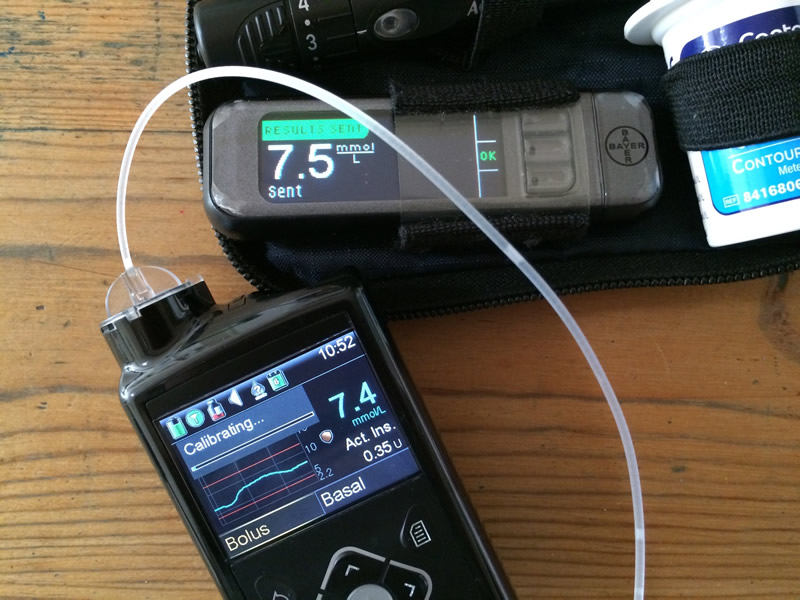
The 640G pairs with a Bayer meter that looks just like the existing Contour Next USB, but this souped-up '2.4' version has some extra cleverness under the hood. For starters you can use it to deliver a quick manual bolus of any number of units you choose without having to fish the 640G out of your pocket. You can also create up to 8 bolus presets (which can include predetermined square or dual-wave options and doses) on the 640G that can be fired from the meter. Frustratingly you cannot vary the doses of these presets from the meter itself at the point of delivery - which would make this much more useful for me - and neither can the meter act as a fully fledged bolus wizard as it does with Roche pumps. However *some* meter bolus options are certainly better than none, and I can see that these could be very useful for snacks and preset mini-corrections or standard preboluses. The new BG meter also acts as the USB conduit for uploading data to the Carelink software package which (mercifully) is also getting a complete overhaul very soon.

Sensors schmensors
That's all very well you may say, but I'm about as likely to get funding for full time sensors as I am to become the next Pope - is this all about SmartGuard, or is there anything here for non-CGMers?

It is true that Medtronic are putting a lot of emphasis on SmartGuard - they are keen to describe the 640G as a 'system' rather than just a pump. It seems they are trying to work with Healthcare Professionals and NICE, seeking to allow more people to access this sensor augmented, 'virtual pancreas' approach. Swift murmerings were made about price points and volume but no real detail given as to if (and how much) sensor cost may fall if there is a greater uptake.

However even without all that sci-fi automation there is much here to please regular pumpers.

A colour screen is pretty much a given these days, but the layout and icons here are well thought through and in themselves allow quick access to a detailed and drillable overview, similar to but richer than the 'back button' on old MiniMed pumps. Bolus and basal adjustments are available direct from the 'home' screen, and everything is navigated by the 4-way/OK controller plus two other buttons - one for 'menu', the other for 'back'. Pleasingly, pressing and holding the 'back' button takes you directly to the home screen however deeply you are embedded in within menu options, which is a nice touch.

A great deal of attention seems to have been paid to the available options to make the pump more customisable and personalisable for individual users. For many things (such as basal patterns) you can now choose named versions eg 'work day' or 'illness' that make them more self explanatory to use, alternatively you can still opt for the more usual numbered options. You also have the option of setting all sorts of presets, including temporary basal rates of predefined length/intensity (again with named alternatives). Whatever you choose to populate from the available options in setup screens get shown in the selection menus, but you don't have to wade through dozens of items that you never use if you don't want to set them up. So you might choose to set just two of eight available TBR presets one for 'moderate activity' and another for 'light activity', then when setting a TBR you can choose either of those or dial in a custom one. Overall it felt logical, intuitive and that several regular tasks would be faster to achieve. The added complexity might mean an additional button-press here or there for one or two things, but in the hour or so we had to play with the 640G most things I wanted to access within a few presses I could.

Battery life is anticipated to be around 2-4 weeks, depending on use. The 640G needs the slightly larger AA batteries (rather than the Veo's AAAs) to power the colour screen. In the top menu bar the battery (and other) icons re-colour to indicate their status. On the battery front, as well as the usual 'low battery' warnings at 25% and again (if I remember right) at 5% there is also an inbuilt 'get out of jail' rechargeable battery that will allow the pump to limp on for up to 8 hours if you find yourself stranded in a motorway traffic jam or somewhere with no shops over a Bank Holiday having paid no attention to the icons/alerts when you set off. I also unwittingly tested the "what happens if you need to change battery in the middle of things" situation and a trial TBR I had set running happily carried on after I took the battery out to have a look. Another neat trick is that the standard-issue belt clip can be swiftly detached and is moulded in such a way that it can be used instead of a coin to unscrew the battery cap. Just a nice bit of attention to detail which speaks highly of the amount of effort Medtronic have put into the design of things.

Infusion sets and reservoirs are exactly the same ones used in the Veo, but special mention must go to the 'Infusion set change' alarm which you can set as a reminder. This particularly caught the imagination of Paul B who said that as a feature, it was pretty much enough to win him over on its own.

My biggest disappointment on the day was to discover that those infernal (and entirely useless) TBR hourly chimes are still present on the MiniMed 640G and it doesn't look like you can turn them off either. After all the effort that has clearly gone into usability and user-experience... The mind boggles. [EDIT: This turns out not to be the case after all. See the end of my compare/contrast video blog for details.]

To be honest I'm going to have to stop there - it's suddenly got rather late and I had thought I was just jotting down some quick notes. It was a very interesting day and there were other snippets (such as the iPort) that will have to follow later.

In short, I will have had Artoo for 4 years in November this year, at which point the warranty runs out and my robot counterpart begins to live on borrowed time. While I'm not champing at the bit for a new pump, I had absently been wondering what I might look at next. I am still interested to find out more about Roche's Insight pump. Omnipods don't feel right for me, and until today I was fairly certain that the Animas Vibe was my front runner because of Dexcom integration (and longer sensor life if I ever take the plunge to self fund). I know that for many the lack of a fully functioning remote handset on the 640G will be a dealbreaker, but that really doesn't bother me much. Today has given me much to think about and Medtronic's new offering very clearly sets itself apart in the market by doing something that absolutely no other pump can do.

Video blogs now available

Update: I have been given the opportunity of trialling the MiniMed640G for 64 days and will be posting video diaries of my experiences. Watch the videos.

Disclosure. Medtronic generously paid my train fare and laid on a tasty lunch. I was not asked and have not been paid to write this post or publicise their products in any way, but thought you lot might be interested.

Sunday, 26 October 2014

Abbott Freestyle Libre results vs BG meter - Review part 2

Last day of 2nd sensor. Complete with crazy-flat overnight graph.
In this update to my initial review of the Abbott Freestyle Libre I wanted to share my experience of what it was like to use and also to provide the promised comparison with results from my regular fingerstick meter (the Contour Next Link USB). If you have been living in a cave and have no idea what I'm on about you can get an introduction to the Libre here.

It is probably worth pointing out at the outset that the Libre WILL NOT give you identical readings to your BG meter all the time. It just won't. They are not even measuring the same things. If that's what you want the Libre to do, you can pretty much stop looking, because it's not going to happen - not with the Libre and not with *any* technology that measures glucose in interstitial fluid and then converts that into an estimate of plasma glucose values (so all current CGM options). More on that later. But first - what is the Abbott Freestyle Libre like to use?

Do the sensors come unstuck?
I found the Libre to be extremely comfortable and unobtrusive to wear and both sensors stayed firmly stuck for the full 14 days. I was almost never aware of the sensor being there, with the exception of one or two times when I leant on it or absent mindedly scratched near it (having forgotten it was there). I did deliberately try to remember it when towelling off after showering to make sure I didn't accidentally dislodge it, but apart from that I barely gave it a second thought. There was very little in the way of itchiness for me and at the end of 14 days the sensor removed to reveal, well... nothing very much. Insertion of the second sensor was as painless as the first. I have seen some comment online where people have found that sensors came loose after just a few days, but that certainly didn't happen to me. With infusion sets I have found that the adhesive seems to need 12-24 hours to get up to full strength. I suspect it is the same for the Libre sensors. If it gets loosened early on you may need to over-tape it with Opsite Flexifix, Tegaderm or something similar. There's not a lot of 'edge' on the sensors and I can see the possibility of the sensor getting 'levered off' if knocked in just slightly the wrong direction. placeholderplaceholder

I wonder what my levels are now?
I think this picture sums up my experience of living with the Libre for 28 days. Since I started attempting to *actively* manage my blood glucose levels four or five years ago I spend quite a lot of time wondering what is going on between my BG checks. I have never really known how often this happened until now - but the Libre released me from any monitoring constraints. So there you go. An average (average!) of 31 checks a day. Something like once every 30 minutes during waking hours. I had expected that my frequency would drop off after the initial excitement, but I remained fairly consistent through the full life of the sensors - checking more frequently when levels were changing more rapidly and leaving hours between checks at times in the day where things are generally more stable. The inconvenience and discomfort of 'traditional' punctured-finger-and-strip-fiddling monitoring means I would never check this often via a BG meter, but for 28 days whenever I wondered what my levels were, I found out. It is easy to underestimate how much of a transformation this is. Any time. Every time. All the time. I could know what my levels were *and* what they had been over the last 8 hours. There was no longer any reason not to look. No 'avoiding' the numbers (whatever they might be!) in between my 'normal' testing routine. Rather than feeling swamped and judged by data I felt completely liberated.

Basal test every day
In my previous post I mentioned how amazing it was to suddenly be able to see what had happened overnight every morning. Overnight basal tests are - as everyone who has undertaken them will know - a real chore. Waking every couple of hours to check blood glucose via fingerstick is a very effective management technique - but it's no fun. But look at what happened when I had 28 consecutive basal tests - the result is at the very top of this post. I couldn't help but tinker with my overnight basal profile gradually moving it from a bit wobbly, to ridiculously level (at least for a short while!). Seeing the patterns every day meant it was easy to spot the general trends and ignore the one-offs. And I made alterations to the 'shape' of my overnight pattern that I would *not* have made without those data.

New technique
After I had been living with the Libre for around 7 days I noticed that I had added a whole new technique to my management armoury. The preventative TBR (temporary basal rate). I've regularly used them since I started with Artoo to cover activity and other things, but this was slightly different. Because of the constant availability of data and the trend arrow that accompanies each check, I found myself setting short sharp TBRs - perhaps 50% for 30 minutes or an hour - to head off an impending dip in glucose levels. I was slightly surprised to realise that the 'level' trend arrow on the Libre doesn't actually mean level as such. It just means not rising/falling fast or very fast. In the first week on sensors I ignored a lowish level because of the 'flat' arrow only to dip below 4.0mmol/L an hour or so later. By using preventative TBRs for flat or more accurately reading-flat-but-slightly-falling readings that were just 'a bit near the edge' I managed to avoid several low level hypos and without bouncing up into double figures. Similarly, micro-boluses of small fractions of units when levels were high-ish (but not yet out of range) allowed me to be bolder in preventing BG drift. WIN!

Data analysis
I really like the simple, clear overview screens on the Libre. They might be a bit simplistic for some, but by dividing the day into four chunks and averaging 7, 14, 30 and 90 days of results in those sections I found it very easy to spot patterns and filter out the ebb and flow of 'diabetes randomness'. I particularly liked the 'Daily Patterns' graph which only appears after 5 days of results are stored and offers an average of daily results along with a 90th and 10th centile shaded area (it's a simplified version of the Ambulatory Glucose Profile graph - see image). It becomes very easy to see which periods in the day are providing the most challenges. You get a similar view (but with many more options, and helpful traffic lights) when you connect the Libre to your PC (or Mac - hooorah!). The Libre software niftily allows you to create smart PDF reports recording all sorts of averages, graphs, low glucose events and mealtime patterns which can really help to understand what has been going on. Additionally any mealtime notes and/or carbs and other details that you may have chosen to record on the libre are transferred for review too. If you have a particular penchant for number crunching you can also download up to 90 days results and details as a 'tab separated' txt file ideal for import into your spreadsheet package of choice. Look for the 'File' menu at the top of the screen, and choose 'Export Data'.

The end result of my 28 days? I had some of my BEST results all year. Lower post-meal spikes, fewer lows, fewer highs. Not bad Abbott! Thank you very much Freestyle Libre.

Ready to insert second Libre sensor
Libre results vs BG meter
Well... this is all very well you say. But if the results the Libre is providing are complete garbage, then it doesn't matter a hoot how nifty the downloaded PDF reports might be.

So how reliable were the results?

It's a good question. And not necessarily an easy one.

As I suggested earlier the Libre is reading glucose levels in interstitial fluid (via factory calibrated sensors) and then interpreting those through an algorithm to present values intended to reflect plasma glucose levels. That's a whole lot of steps in between what the Libre reads and the results you receive. And much as I realise a lot of work will have gone into ensuring that those results will be mostly OK for most people most of the time - clearly it is likely or at least possible that some variation will occur. Not least because the glucose values in interstitial fluid will 'lag' behind blood glucose values (typically 10-15 minutes, though the Libre aims for 5). Things are complicated further by the +/-20% variability which is allowed between BG fingerstick strips (though again these days meters tend to perform more like +/-5% or 10% most of the time).

What matters more to me is not whether results are identical all the time - it is more whether the results I get are useful. Whether any variation is modest enough that the readings, trends and analysis help me manage my diabetes better.

In order to understand what I was getting from the Libre I tested both sensors against my standard BG fingerstick testing routine. This is usually between 6 and 10 fingerstick tests a day, including premeal and post-meal tests as well as those around driving, exercise and activity. Whenever I took a BG fingerstick test on my 'normal' meter (the Contour Next Link USB that works with my pump) I cross-checked with the Libre. At the end of each sensor I then downloaded all the data and compared it on a spreadsheet to see what (if any) differences there had been. I do not for a minute pretend that this is a scrupulously scientific test - or that the results here might apply to anyone else. I took these comparisons purely for my own interest, and share them here in case others find them useful.

Here's a summary table from the first sensor - there were 94 pairs of results (BG meter vs Libre) over the 14 days:

Sensor 1
BG meterLibreAvg +/- %
(against BG meter reading)
Avg +/- mmol/L
(against BG meter reading)
Average7.8mmol/L7.4mmol/L10.1%0.7
SD2.83.08.9%0.6
Distribution of readings
Number of readings where Libre higher1819%
Number of readings where Libre lower7075%
Number of readings equal66%
Number of readings within 0.5mmol/L4346%

I don't know about you - but that looks pretty darned good to me. Yes, in amongst that there were some readings which were substantially different. A handful of times around 40% different from the BG meter - to put that into context one was a 4.4mmol/L that read as a 6.1mmol/L - one needs watching the other doesn't. There were also results where the Libre read hypo, but my BG meter confirmed I was in the 5's.

But the vast majority of the data feed is well within usable limits for me. The SD line gives a useful estimate of the range of most of the results. So from an average of 0.7mmol/L difference the most of the results were somewhere between 0.1 and 1.3mmol/L out.

You will notice that in most cases (but not always) the Libre was reading lower than my BG meter - with the result that overall the average of all results for the Libre comes out at 0.4mmol/L lower than my Contour Next Link, but with a slightly wider range (SD of 3.0 vs 2.8). Amazingly though, almost half the time the Libre was reading within 0.5mmol/L of my BG meter - and don't forget that at least some of the differences in readings could be down to the 5-10 minute 'lag' between BGs and interstitial glucose - especially if BGs were moving fairly rapidly at the time.

What I think this means for me in practical terms is that if I was running off results from the Libre more or less full time, with only a few cross-checked results where BG was moving rapidly or if things 'didn't feel right' I would most likely run a little higher most of the time. This would probably do wonders for my avoidance of hypos, but I suppose it may also have a small knock-on effect on my HbA1c.

But.

Isn't there always a 'but'?!

Things get a little more interesting when I switched to Sensor 2. As soon as that sensor started reading the graph 'jumped' down the screen. If the first sensor had tended to read a little lower, this sensor was taking that to new levels. Now Abbott do suggest that the Libre sensors may not read quite so accurately on day 1, but that days 2-14 should be relatively steady. Even on the second day though readings on the Libre were consistently 2mmol/L or more lower. And since there is no calibration option there was absolutely nothing I could do about it.

Here are the results for the first 5 days of that sensor:

Sensor 2 - days 1-5
BG meterLibreAvg +/- %
(against BG meter reading)
Avg +/- mmol/L
(against BG meter reading)
Average7.1mmol/L5.4mmol/L26.2%1.7
SD2.32.313.7%0.8
Distribution of readings
Number of readings where Libre higher12%
Number of readings where Libre lower4398%
Number of readings equal00%
Number of readings 1.5mmol/L or more out2659%

You can see the difference in performance for yourself - over twice as far out. Suddenly almost 60% of the time the readings were 1.5mmol/l or more different and almost always lower. I had a few overnight traces that looked as it I'd been on the verge of a hypoglycaemic coma all night - when in reality I'd just been bobbling along in the low 5's (I know because I panicked and checked). On several occasions the Libre just reported 'LO' - with (allegedly) a level too low for it to record.

After several days of 'waiting to see' I contacted the lovely folks at the Abbott helpline who ran through a few checks to make sure I had the sensor in the right place and generally could tell my Libre from my elbow. I had been given a handful of Freestyle Optium Neo strips with my pack of goodies and the helpline person suggested I tried cross-checking against the Libre's inbuilt BG meter rather than some other technology (interestingly these strips also read a smidge lower than my ususal meter). As it turns out the reading on that occasion was pretty close (typical!) so I left it at that and wished I'd called them earlier.

The plot thickens
A couple of days later I had a call from Fiona who I'd met at the Libre pre-launch meeting called to say that a software glitch had been discovered (and fixed) in some of the very early sensors which was causing some interruptions in data and other concerns. I related the issues I'd been having with the second sensor and while they didn't seem to exactly fit with the software glitch described, Fiona offered to replace the second sensor.

In the meantime, and certainly into the second week, the second sensor seemed to be settling down considerably and behaving much more like the first. Here are the results averaged from days 6 to 14:

Sensor 2 - days 6 to 14
BG meterLibreAvg +/- %
(against BG meter reading)
Avg +/- mmol/L
(against BG meter reading)
Average6.9mmol/L6.5mmol/L11.7%0.8
SD2.22.110.2%0.6
Distribution of readings
Number of readings where Libre higher1527%
Number of readings where Libre lower3869%
Number of readings equal24%
Number of readings within 0.5mmol/L2138%

Not exactly back to the performance of the first sensor, but pretty darned close. Of course it did take those 5 days to settle. And if I'd been stumping up hard-earned cash for that sensor I suspect I might have been quite miffed that data from 36% of the life of the sensor was fairly useless to me.

I would have expected that a relatively consistent error would have still yielded useful 'trend' data - but in reality I found it very difficult to detach myself from the uneasy feeling that 'red' (hypo) results gave. However much I knew, or suspected, that my *actual* BG level was 1.5-2.5 points higher it was impossible for me to use the information in the same way when the margin of error was that great.

So in the end I am left with one spare sensor yet to use (which I plan to put into action around Christmas time) and just a very slight sense of unease as to what future sensor(s) might bring. When it worked at the 10% MARD that Abbott promise in the marketing literature I found it an incredibly powerful tool. If it were available on prescription and performed consistently like that I would be banging the table and asking to swap my (fairly generous) fingerstick allowance for Libre sensors - topping up with as many strips as I needed on top of that out of my own pocket.

But.

If other sensors only perform to the accuracy of the first 5 days of Sensor 2 then it's a whole different ball game. I wonder if Abbott may come to regret their decision to go for factory calibration. From a user's perspective I have already seen several posts from people who would find it very useful to have a 'manual override' setting where you could offset Libre readings which are consistently out to bring them more in line with our own fingersticks.

All in all I love the Libre and I am really hoping that future sensors live up to overall positive experience I have had so far.

Now that the online shop has opened I'd be interested to hear your experiences if you have used the Libre yourself.

Final verdict: 4/5.

Update: Freestyle Libre now licensed for use in under-18s

Friday, 7 February 2014

Cook & Count Carbs - App Review

I was really happy to be asked to take a look at a new app for iPhone (an Android version is coming soon) which immediately sounded like a Very Good Idea.

More and more these days we are reminded that heavily processed foods, while convenient, are generally poor food choices. Even without the revelations regarding the 'so hungry I could eat a horse' frozen-microwaveable-lasagne-for-one fiasco, most of us realise that food genuinely tastes better and is much better for us when it isn't jam-packed full of chemicals from the darkest corners of the periodic table in order to give it a half-life on the shelves, or permit a 'low fat' (don't get me started) label on the front.

Real food, made from real ingredients. Lovely.

For those of us juggling busy lives and diabetes though there is the added complication that those nasty chemical-laden packaged foods tend to come with a very handy grid of information providing the all important carb count. Cooking from scratch is great, but trying to get an even vaguely accurate carb-count for what ends up on the plate can be a bit of a bind. Well not any more!

Cook & Count Carbs focusses on doing one thing well. It doesn't fuss about with calories or offer nutritional info about fats, proteins or other micronutrients*, but allows you to very quickly look up individual ingredients or build complete recipes and then work out carbs-per-portion for however many people you are dividing it between. (*Update: The app has since been upgraded/updated to allow you to track calories/fats/proteins/fibre and other details if you would like to, or just stick to carbs-only)

I have fallen foul of the promise of carb-lookup functionality a few times before. Some apps use lists which are based largely on foods and brands only available in the US, others require an active network-connection to access the data. My favourite waste of time so far was an app that allowed you look up a huge range of ingredients but only allowed you to indicate quantity by 'serving'. So you could choose one, two or nine 'servings' of wholemeal pasta and get a carb count, but absolutely nowhere did it specify how much pasta one should cook for an individual 'serving'. Utterly useless.

Thankfully C&CC is a lot better thought-through than that. There is a pretty comprehensive list of ready-made choices for both raw and cooked foods, all available by weight (grams or ounces depending on user preference). Brilliantly the app also allows you to define your own 'custom' ingredients from the food-labels on the stuff that you actually buy if that turns out to be missing, or significantly different from the predefined list. And you can use it anywhere... fully networked city centre apartment or a farmhouse in the back of beyond.

You carry on adding as many ingredients as you want to and then flick to the 'total' screen which allows you to divide the whole recipe into as many servings as you are expecting. This number isn't fixed, so if you decide to divide into more or fewer portions later on, or the next time you prepare the meal, you can easily get an updated count.

You then have the option of saving your recipe to refer back to in your 'My recipes' section. You can add a photo of what it should look like and even add detailed notes on how to prepare the recipe if you wish. One slight quirk is that you can only edit a recipe you have previously saved if you have added at least one 'Method' entry. Once you have done that (even if it only says 'Method' ) an edit icon appears below the recipe and you are able to amend and update any quantities, add or remove ingredients and then save a new version if desired. For keen social media types there is also the option of sharing via Twitter.

Also inbuilt into the app are a collection of existing recipes from starters, mains and puds to low carb & gluten free, as well as an 'info' page with articles, tips and additional information.

The interface is quick and intuitive and I have found it equally handy for a quick 'ready-reckoner' look-up of an individual ingredients as well as calculating more complex and complete meals. It is hard to imagine how the app could be improved - and that is a very rare thing for me to say. At the current price of £3.99 it is not the cheapest, but if you like the idea of cooking from scratch without the mathematical acrobatics it is well worth considering for the price of a couple of coffees.

Final score: 5/5

Disclosure: Deborah Wilder and Health Apps Ltd very kindly offered me a free copy of the app for review, which I was allowed to keep. I was not asked or paid to write this post, and only did so because I thought the app was bloomin' marvellous!

Friday, 16 August 2013

mySugr Review - The best Diabetes logging app ever?

When we began this blog almost exactly three and a half years ago (crikey!) I had just made two important and, in their own small way, utterly life-changing discoveries.

One was that I wasn't anything like as good at managing my diabetes as I liked to think I was. And the other, and perhaps more important, was the extraordinary power, knowledge, support and cameraderie of the DOC hive mind. At that stage I felt that my control was 'as good as could be expected' and that diabetes was just pretty random every now and again. Years later I now understand both of those statements to be completely true, but in a very different way - and with the benefit of signficantly better control and confidence in handling my diabetes.

One of the main changes I made at that time, and perhaps the one that transformed my self-management more than any other, was to start testing more frequently, and to record the results more systematically. This information then enabled me to spot patterns in the apparent 'randomness' and apply the knowledge & experience of the DOC to experiment with the whole 'pretending to be my pancreas' business. Identify a problem... find out what others do... experiment... try something else... develop a strategy... test... review... adjust. None of that would be possible for me without a decent feed of data to try to keep track of the million and one variables.

At first I used the ever-faithful pen and paper route, which is fine in its way, but doesn't really let you do anything with the information you are so carefully collecting. Shortly afterwards I started using different apps on iPod Touch and later iPhone (other smartphones are available etc...). I must have tried the best part of a dozen apps in quick succession before settling on one which allowed me to log and track everything I wanted to without making me want to chew off my own fingers in the process. A couple of years ago I saw a mention by Mike Young of Diabetes in Spain about an app he was using called mySugr so I had a look. I've been using it ever since. Recently they launched a major upgrade as v2.0 and to my mind mySugr has now become something really rather special.

Overview
Well let's see...

Fast/easy data entry? Yup.
Pretty graphs? Absolutely!
Useful averages over different time frames? All present and correct.
Additional analysis like SD and number of high/low readings? Correctamundo.
Suitable for pump users? Certainly.
Export data in a variety of formats? Of course!
Fun? Yes!

Erm.... what?

This I think was the biggest difference I found when I first started using mySugr. The team behind it (which includes quite a high proportion of T1s) understand that logging, while potentially *very* useful is not the most fun to be had. Underpinning all mySugr's seriousness and analytical clout is a healthy dose of wit and charm. When you first set the app up you choose a name for your diabetes monster and every time you make an entry you go some way to taming it day by day. They turn diabetes logging into a sort of game, scoring points with every entry made. This may not appeal to you from the outside, but there is something inexplicably smile-inducing about the animated gurgling reactions of your monster when you make an entry - especially one that is above or below your ideal range, which is exactly when I need distraction most.

mySugr allows you to log all the things you would expect - BG (in mmol/L or mg/dl), carbs (in exchanges/CPs or grams), meal boluses, exercise/activity, basal dose for those on pens/syringes and temporary basal rates/duration for pumpers. Naturally you can also make copious notes alongside your entries which I find essential in terms of interpreting the data later. In addition you can also capture photos of meals and even add the geographical location at which the entries were made which is a nice touch. Entries can be tagged with one or more predetermined icons which range from the inevitable 'breakfast' and 'sport' to more emotional options like 'stress' or 'chilling' adding further detail to records. A very useful 'search' option allows you to quickly scan back through months worth of entries to find what you last tried for 'pizza' or 'chinese takeaway' then jump to those records to see how it went and what you might try this time.

mySugr operates on a 'freemium' basis. The fundementals of the app are available absolutely free of charge, but full functionality (eg photos with records) requires a 'pro' subscription. When you install the app you get all the bells and whistles for a few weeks. Following that you can just use the (excellent) core functions, pay a small monthly fee to upgrade to pro, or complete motivational 'challenges' to earn days of pro subscription for free by logging several entries per day or exercising. EDIT: As of January 2014 mySugr seem to be moving away from a subscription-for-pro set up towards a single payment model.

The data analysis on offer in mySugr is excellent. The home screen (above) gives you a general overview of how things are faring over the last week/24 hours in different ways. The graph itself recolours to give you instant feedback if things are altogether too high/low (red) or a bit marginal (amber). There is a logbook screen with pleasingly swooshy draggable graph and table of entries that allows you to quickly scan back through previous week/month - the graph dragging side to side as the table of entries scrolls up and down. A separate analysis screen allows you to see 7-day, 14-day and month-by-month changes in average BG and crucially the SD of those entries (how closely grouped or wildly scattered they are). Dig a little deeper and you'll see a summary of numbers of high/low readings, tags, photos and other useful detail to help you work out what has been going on. If you enjoy your own number crunching and/or want to amaze and impress your clinic with how marvellously you are getting on you can choose between different .csv formats for Excel or export your data as a slick PDF report.

mySugr is registered as a 'medical device' and CE marked (I think it is perhaps the only logging app to have achieved this). Data storage is safe and secure and the entries are seamlessly uploaded and synced in the background. I experimented early on with this and if no data connection is available mySugr will just wait patiently without pestering you until a connection becomes available. If you own more than one device you can log from whichever is closest to you at the time and the data will stay in sync on all of them.

What? No niggly complaints?
If you've read a review here before you will no doubt be waiting for the 'but...' followed by a long list of things I really hate about mySugr. Well it surprises me as much as it might you that I can hardly think of *anything* I would change about the app. I would love to be able to edit the preconfigured list of 'tags', either to just hide the ones I'll never use, or preferably to allow me to customise the text myself. The options they have are decent enough, customisation would be perfect - I gather this is on the 'wish list' for future versions. There seems to be a slight glitch with data export for Excel in that dates are coming through as text rather than an Excel-friendly timestamp. This has almost no relevance to any other user I'm sure, but it makes some of my occasional attempts at analysis/graphing in Excel go a bit wonky. I'm going to drop them a line about that, and it's just the sort of thing they fix in one of their version updates. (Edit: as expected, this has now been fixed!)

So I quite like it then?
I noticed something a few weeks ago that really surprised me. The way mySugr helps me keep track of my readings actually helps me improve them in a way no other app has done before. There is a sort of 'sliding scale' of reward and motivation going on that on one level just lets me know if things are slipping a little, but then - even when they are pretty much perfect manages to encourage me to keep trying harder. That's not a bad effort for some lines of code, comedy noises and a sprinkling of funky graphics. In general terms the BG average and SD over 24 hours 7 days, 14 days or month-so-far offer me a ready reckoner of how well (or badly!) any time period is going. I have a tendency to think 'things have been terrible for ages' so it can be encouraging to look back a few days and see that results were not so bad after all and a little basal testing will probably fix things.

Aiming for amber
For about a quarter of this year things were not going well for me diabetes-wise. Looking back it wasn't a disaster (see previous para) but every month I'd hope for a better average, lower SD, fewer highs and fewer hypos only to find that the results would be slightly worse not better than the previous month's. Despite the fact that I felt like I was trying harder. This is not particularly encouraging... But following my annual Pump Clinic at the end of June where I made some small basal and ratio tweaks things all seemed to slot into place. Day after day with bewilderingly good levels. I felt like I was winning. Even when we were away on holiday (a notoriously chaotic experience for my BG in previous years) I pushed to maintain this success*. Why? Well during this period I began to notice the 'high/low' marker on mySugr's home screen (see the big picture above) was no longer it's customary Red. Quite often it was Amber. Once or twice it was even Green! So in a rolling 7-day period I would find myself pushing to avoid a high or low reading that day, because if I could make it with a 'no hitter' then tomorrow the wobbles from this time last week would disappear and I'd be in amber again. I was playing my diabetes like a game.

The fact that my logging app was providing that motivation should make the folks at mySugr very pleased indeed.

mySugr is available for iOS devices in the App store and an Android version is currently in 'beta test'.

Final score: 5/5

* Fear not. Normality is resuming this week... along with some set failures and hilariously jaggedy mySugr graphs that well and truly revoke my #teamsmug membership.

Disclosure: I wasn't paid to write this review and I have no commercial interest in mySugr at all. I was lucky enough to be one of the beta-testing volunteers for 2.0 and have spoken to Frederik a couple of times but that's it.